Documentation
One on-device engine across four surfaces: the terminal CLI and proxy, the Claude Code plugin, the browser extension, and the engine library. Live on npm; source on GitHub.
Install
Node 18+. Install the CLI globally:
$ npm i -g @sbr0nch/contextiaThe browser extension is in review on the Chrome Web Store and Firefox Add-ons, coming soon. Until then, build it from source.
CLI
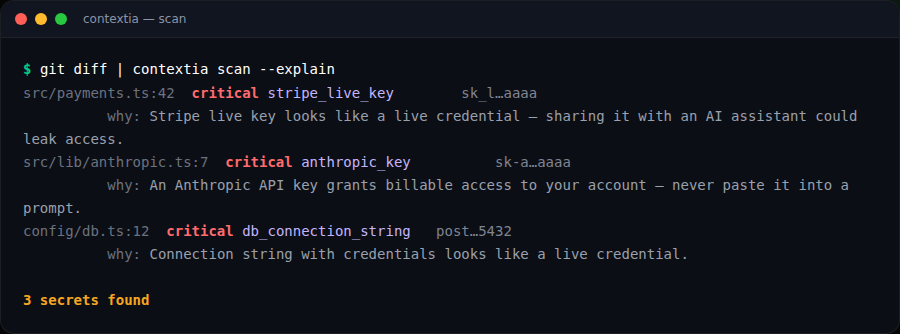
Scan files or a diff, and explain every hit:
# scan a file or a piped diff
contextia scan deploy.log
git diff | contextia scan --explain

# list detectors
contextia list
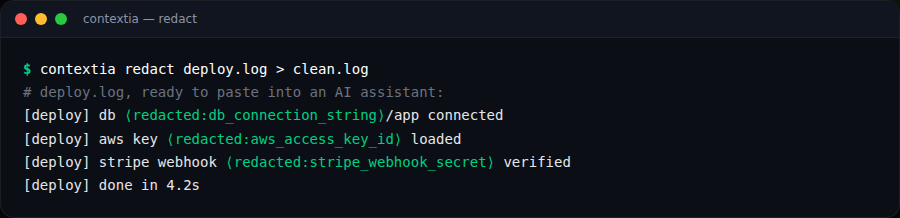
Redact secrets out of a file, reversibly:
# write a clean copy, safe to paste into an AI assistant
contextia redact deploy.log > clean.log

# keep a reversible mapping, or redact in place
contextia redact deploy.log --reversible
contextia redact --redact-file deploy.log
--explain: say why each match is a likely secret.--reversible: tokenize so values can be restored later.--redact-file: rewrite the file in place.
Claude Code plugin
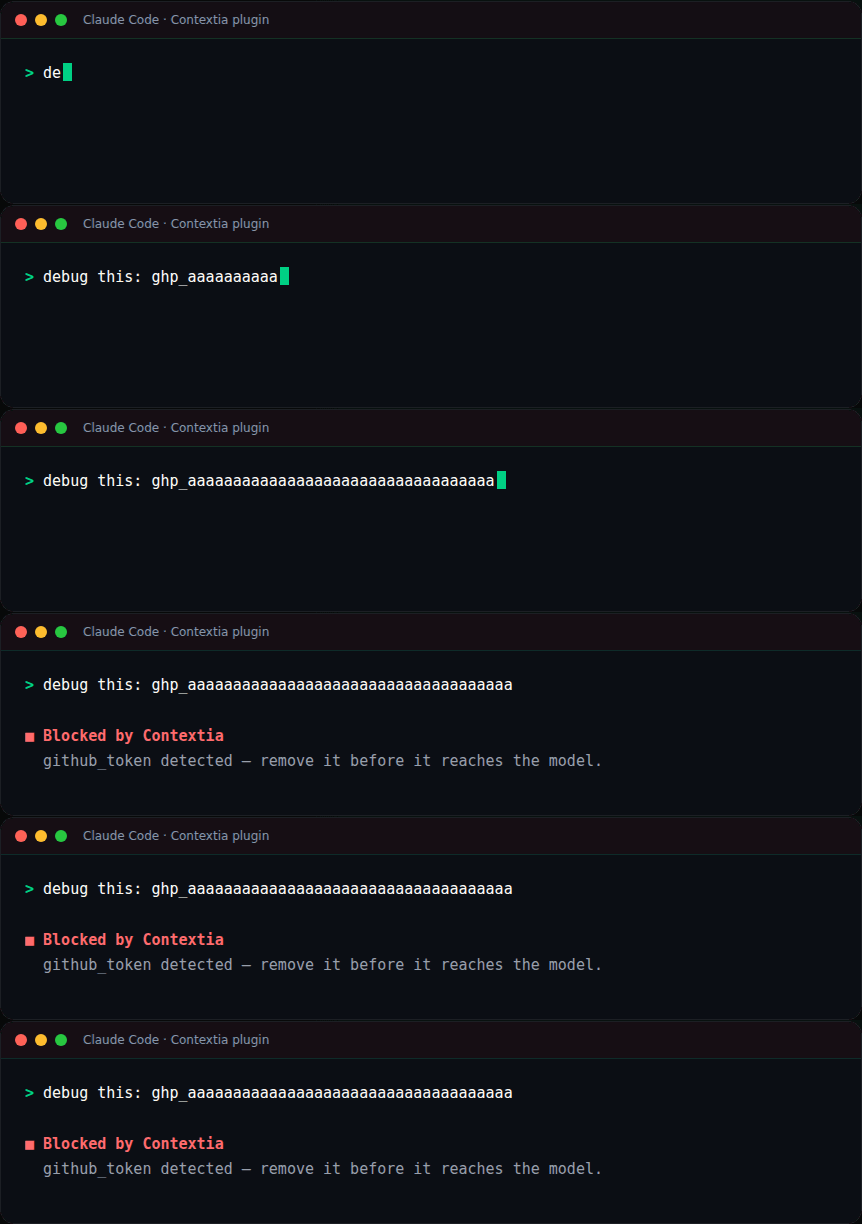
Runs inside Claude Code and blocks a prompt before it reaches the model when it contains a secret. Native, no proxy, fully on-device. Self-contained: the detection engine ships with the plugin, so there's no CLI to install.
/plugin marketplace add sbr0nch/contextia
/plugin install contextia@contextia
contextia run -- claude); for the browser use the extension.Point CONTEXTIA_CONFIG at a JSON file to customize detectors and allowlists for the plugin:
CONTEXTIA_CONFIG=/path/to/contextia.json
Proxy AI-DLP
Put a local proxy between your AI agent and the model. Secrets are redacted on the way out and restored in the reply. Nothing else leaves your machine. Works with any agent that lets you set the API base URL — Claude Code, Cursor, Windsurf, aider, or your own API scripts.
Recommended: contextia run
One command starts the proxy, points the agent at it, and launches it, with no env vars or manual setup.
contextia run -- claude            # redact mode (default)
contextia run --mode block -- cursor
Bake it into an alias so it's how people launch their agent by default:
alias claude='contextia run -- claude'
Redaction signature
By default the proxy appends a single line, “redacted by Contextia”, to redacted messages, so the model treats the placeholders as intentional redactions rather than corrupted input. It's a functional signal, not telemetry: nothing about the secret or your prompt leaves your machine. Turn it off with --no-signature.

Advanced: run a standalone proxy
For a shared egress point, run one proxy and point apps at it by setting the API base URL — via an env var (ANTHROPIC_BASE_URL / OPENAI_BASE_URL) or in the app's own Models / API settings (Cursor, Windsurf). Live stats at /__contextia.
contextia proxy --mode redact --port 8787
export ANTHROPIC_BASE_URL=http://localhost:8787
# dashboard: http://localhost:8787/__contextia
Browser extension
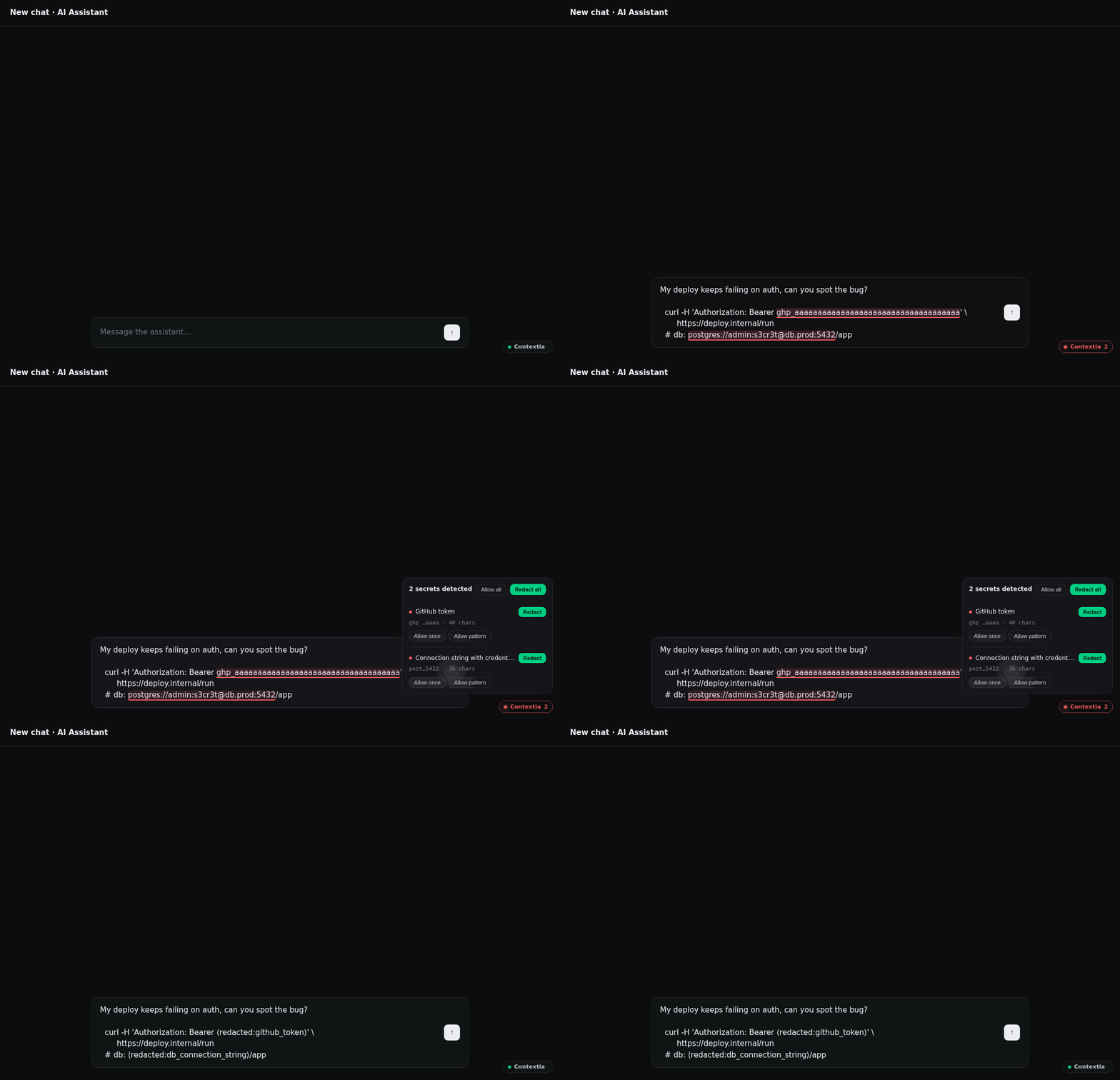
On-device secret detection inline across seven AI sites — ChatGPT, Claude, Gemini, Google AI Studio, Microsoft Copilot, Perplexity and DeepSeek — with warn, auto-redact and block modes. In review on the Chrome Web Store and Firefox Add-ons.
The Contextia logo now shows in the badge, popup and settings, and the settings are redesigned and searchable. The redaction signature is off by default in the extension; enable it from settings.
Local dashboard
See terminal and browser detections in one place. The extension can send detection counts — never the secret value — to a loopback endpoint on the CLI proxy, so everything shows up in a single dashboard on your machine.
Opt-in and off by default; it only ever talks to 127.0.0.1. The “nothing leaves your machine” promise still holds.
Modes
What each surface can do: Warn flags it, Redact replaces the secret, and Block stops the send.
| Surface | Warn | Redact | Block |
|---|---|---|---|
| CLI scan | detect / report only | ||
| CLI proxy / run | ✓ | ✓ | ✓ |
| Claude Code plugin | — | — | ✓ only |
| Browser extension | ✓ | ✓ auto | ✓ |
Managing
Update or remove Contextia on any surface.
Terminal (npm)
npm i -g @sbr0nch/contextia@latest   # update
npm rm -g @sbr0nch/contextia         # uninstall
Claude Code plugin
/plugin marketplace update contextia   # update
/plugin                                # menu: enable / disable / uninstall
Browser extension
Manage from your browser's extensions page to remove or disable it. Updates install automatically from the store.
For teams
Where someone controls the laptops and browsers, make protection mandatory and invisible instead of opt-in. Two surfaces to deploy:
- Browser extension: force-install via managed-browser policy (Chrome/Edge
ExtensionInstallForcelist, FirefoxExtensionSettings). - Terminal / agents: ship
contextia runas a shared alias, or run one proxy as a shared egress point. - Org redact policy: pin a JSON of values and patterns to always strip with
--redact-file.
Want it managed org-wide, with central policy and an audit trail? Contextia is the open-source endpoint layer of SentriKat, its managed home for teams.
Detectors
83 detectors in two families, plus your own allow/redact lists. Detection is deterministic — regex plus checksums — and runs on-device.
~70 secrets & credentials at parity with the gitleaks standard and beyond, and an opt-in family of structured personal data.
Cloud & SaaS credentials
Keys & secrets
Personal data · opt-in
Custom
Detection is deterministic (regex + checksums). Free-text categories like names and addresses need an ML model and aren't part of the on-device engine.
Privacy
Everything runs on your device. Zero network requests, no accounts, no telemetry. The detections log records the pattern and context, never the secret value. MIT licensed and open source. Read every line.